Published
7 MIN READ
AI Systems Integration: CRM, ERP and Spreadsheets
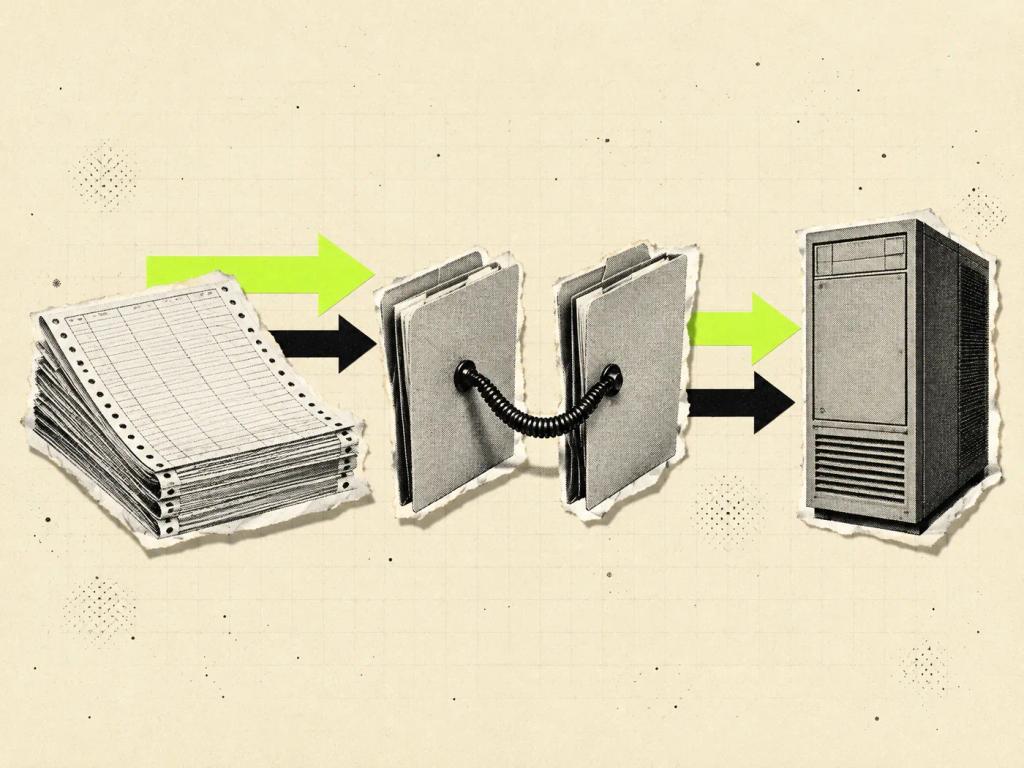

AI systems integration is the process of getting your spreadsheet, CRM and ERP to talk to each other so artificial intelligence finds the same customer in all three places, proposes an action and only writes when a rule or a person authorizes it. Without that map, the AI gets the text right and writes it to the wrong record.
Two different topics share the same name. In a piece published on June 3, 2026, IBM describes AI data integration as using models to speed up ingestion, transformation and pipeline generation across sources. That organizes the data plumbing. This article is about the flow in which artificial intelligence takes part in operations: it reads the spreadsheet, checks the CRM, confirms in the ERP and only then proposes the next step.
At Wama, this conversation starts with the AI assessment for companies: the company doesn't get an off-the-shelf connector, it gets a plan for where AI fits into its slow processes. The filter is the same one behind which process to automate with AI first: volume, a known rule and someone who owns the exceptions.
What is AI systems integration?
It means connecting artificial intelligence to the systems that already run the company, so it can look things up, cross-check them and, if you allow it, prepare records. It isn't replacing the CRM or the ERP. It's getting those systems, and the spreadsheet that still holds operations together, to speak the same language about the same customer, the same order and the same balance.
IBM, in a piece updated on June 11, 2025, describes AI in ERP as bringing machine learning, natural language and predictive analytics into the system that already organizes finance, purchasing and operations. The stated goal is to automate routine tasks and support decisions. The blind spot shows up when sales lives in the CRM, finance lives in the ERP and the team still updates a spreadsheet at the end of the day.
CRM integration with AI covers what the agent can read and write in the customer database. The scope here is wider: what travels between the three places, who authorizes that trip and what happens when the records don't match.
What needs to be mapped before you connect AI?
Before connecting any model, the company needs to write down who is who. The CRM calls the customer an account, the ERP calls it a payer or an issuer, and the spreadsheet stores a trade name typed three different ways. If the AI tries to guess the match, it delivers a confident answer about the wrong company.

The minimum map fits on one page. For the first flow, record each system's identifier, the field that represents the same thing and the source that wins when all three disagree. You don't need to clean the whole database: just map what that flow touches and expand when the next process comes in.
At Wama, the AI Assessment produces a custom Implementation Plan and the baseline for measuring before and after. That's the moment to pick a single flow with a cost you can see today, such as the order that currently moves from the spreadsheet to the CRM. The connection protocol is a separate topic, covered in MCP for companies: what matters here is the process, not the plug specification.
How should AI read and write in your systems?
The safe order is read, draft and only then write within a limit. In the read stage, the AI looks things up and summarizes, and no record changes. In the draft stage, it prepares the order or the update, and a person approves it before it goes live. In limited writing, it records on its own only below a ceiling set by the process owner; above that ceiling, a person stays in the loop.
Oracle, in an October 23, 2025 piece about the NetSuite AI Connector Service, describes a connector where you define what the AI system can see and do, with permissions and role-based access. The lesson applies beyond that platform: the useful question isn't whether a pipe exists, it's who the AI represents and what that identity can touch.
In Wama projects, every AI output gets a human read before it reaches the client. The same standard applies near a system of record: the AI doesn't use a shared admin account, doesn't delete data and doesn't send the customer a price or a deadline nobody reviewed. In the back office, back-office automation with AI follows the same logic, task by task.
When the spreadsheet still makes sense
The spreadsheet stays useful as long as it's a draft or a queue, not the system that controls the official order. Many Brazilian companies still close the month in one, even with paid CRM and ERP licenses. That isn't laziness: it's where the real rules live, because the official system never got that discount, that special deadline or that status only the team knows about.
AI can read that spreadsheet as a supporting source, as long as the company says what wins in a conflict. If the ERP is the system of record for finance, the spreadsheet doesn't make up a balance. If the CRM is the system of record for sales, the spreadsheet doesn't become a second truth about the account's progress.
That's the trigger described in custom software with AI: integrating what already exists works while the three places share a clear flow. Building comes in when the spreadsheet has become the product and copying data already costs more than keeping the flow manual.
Common mistakes
The most expensive mistake is starting with automatic writes. The demo is impressive because the AI creates the order on the spot. On day two, a similar name creates a duplicate order or a discount nobody approved. Reading and drafting exist so the company sees the mistake while it's still cheap.
The second mistake is letting the AI guess identity. Company X in the spreadsheet, X Ltda. in the CRM and X Comércio in the ERP may be three records or the same group. Without a matching table, the confidence of the answer hides the risk. The third mistake is using a shared admin account: the AI inherits a power no one in operations should have alone.
The fourth mistake is treating personal data as if moving it between systems were purely technical. When the AI reads a record in one system and writes in another, customer data is in motion. LGPD, Brazil's data protection law, and artificial intelligence require a defined purpose, minimum access and someone accountable for what was processed.
Frequently asked questions
Does AI systems integration replace the CRM or the ERP?
No. The role of integration is to make artificial intelligence work with the systems the company already uses, without requiring a full replacement. The CRM still owns the sales relationship and the ERP still owns the financial record. The AI looks things up, cross-checks and prepares; switching systems is a different decision.
Do I need to switch systems to integrate with AI?
In most cases, no. The starting point is the CRM, the ERP and the spreadsheet you already have, with clear permissions and a small flow. Switching systems at the start mixes AI adoption with a migration. It's only worth discussing a switch when the current system can't provide the data or the record the flow needs.
Can AI write to the ERP on its own?
Yes, within a written limit and after a period of reading and drafting only. Orders above the ceiling, price changes, record deletions and anything sent to the customer stay with a person. Without an audit trail and an identity, a reading error becomes an accounting error.
What's the difference between this integration and MCP?
MCP is a standard way for AI to discover and call tools. The integration in this article is the process: what data travels, who authorizes it and what happens when the records don't match. You can integrate without talking about protocols, and you can have a protocol without having a process. They're different decisions.
Where should a company start?
Start with a flow that has volume, a known rule and recoverable errors. Write the field map, measure today's rework and allow reads only until the matching is right. The AI implementation plan sets that order before any write to a system of record.
If your company still copies the same customer from the spreadsheet to the CRM and from the CRM to the ERP, the next step is to describe that flow clearly, not to buy another tool. Wama starts with the assessment and builds a custom plan from the process you already run.